PDF Editor: Edit PDF Text
Whatsticker Apps S.R.L.
Edit PDF text, sign and fill forms on your Windows 10 or 11 PC

Free trial · Offers in-app purchases

Screenshots
Description
Need to edit a PDF without the headache? This PDF editor for Windows lets you change text right on the page, sign forms, mark up documents and tidy up pages, all in one place.
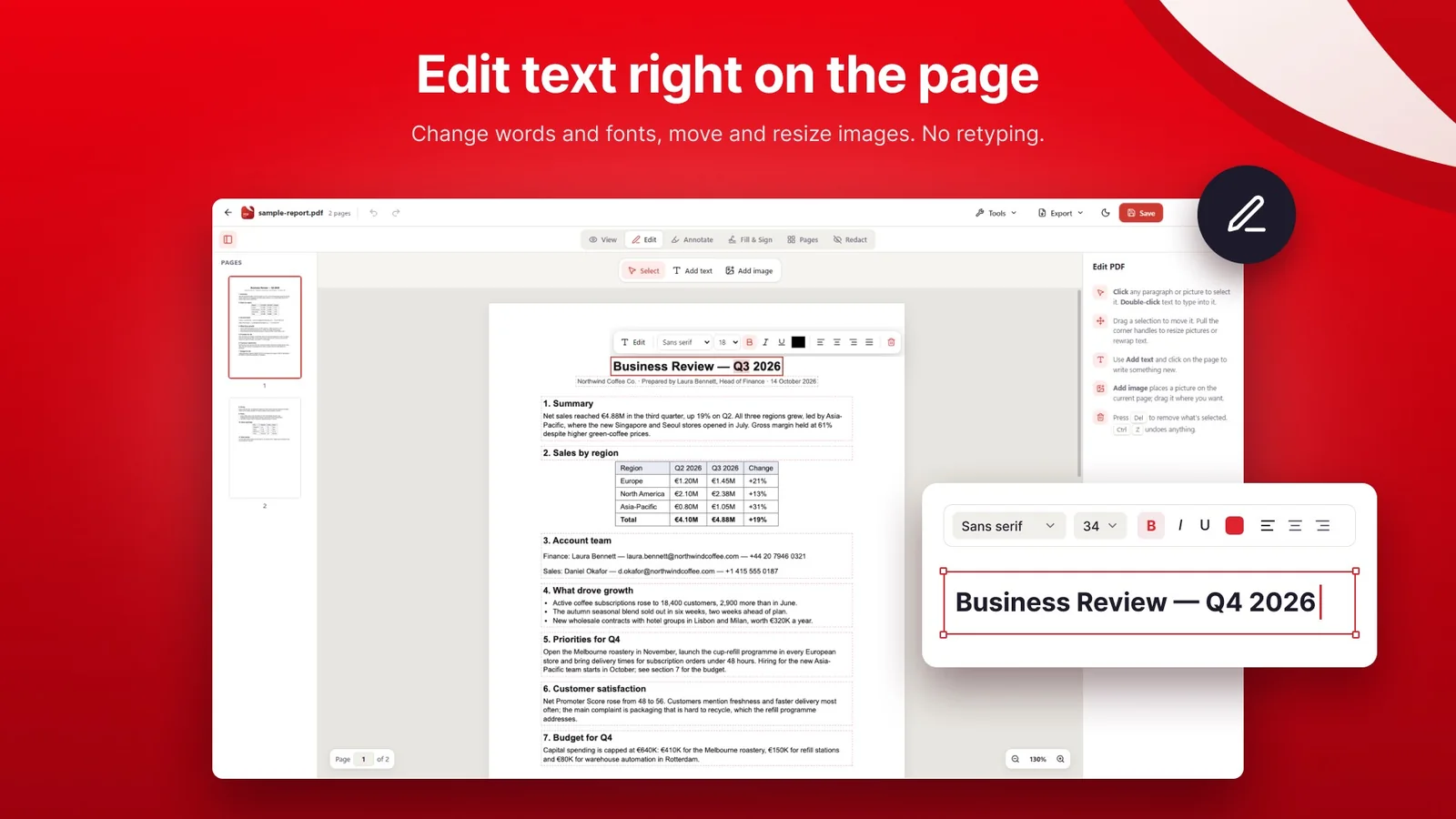
Open a file, double-click a paragraph and start typing. It works like a simple letter editor, only on your existing PDF file.
Everything happens on your computer, so your documents never leave it. Switch between light and dark themes to suit your eyes.
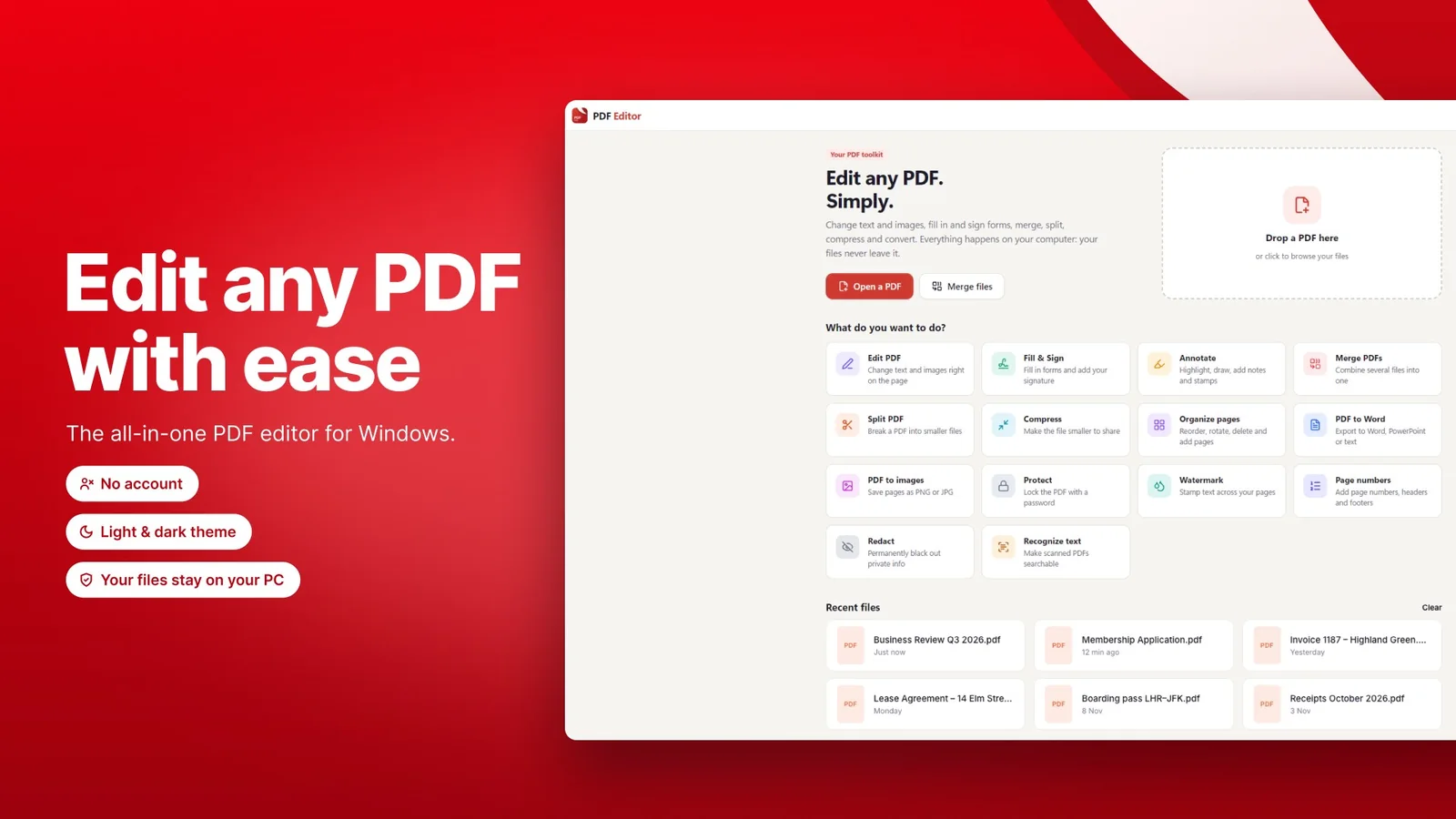
Whether you need a quick PDF reader, an app to edit PDF text, or a way to annotate PDF files and fill out forms, you will find it on the home screen. Just drag a file in, or pick one from your recent list.
The editor keeps things easy to follow. Page thumbnails sit on the left, a helpful panel sits on the right, and six clear modes cover viewing, editing, annotating, signing, page management and redaction.
- Edit PDF text right on the page: double-click a paragraph, type, and change fonts, size and color.
- Add text to a PDF or drop in images, then drag them where you want and resize them with a few clicks.
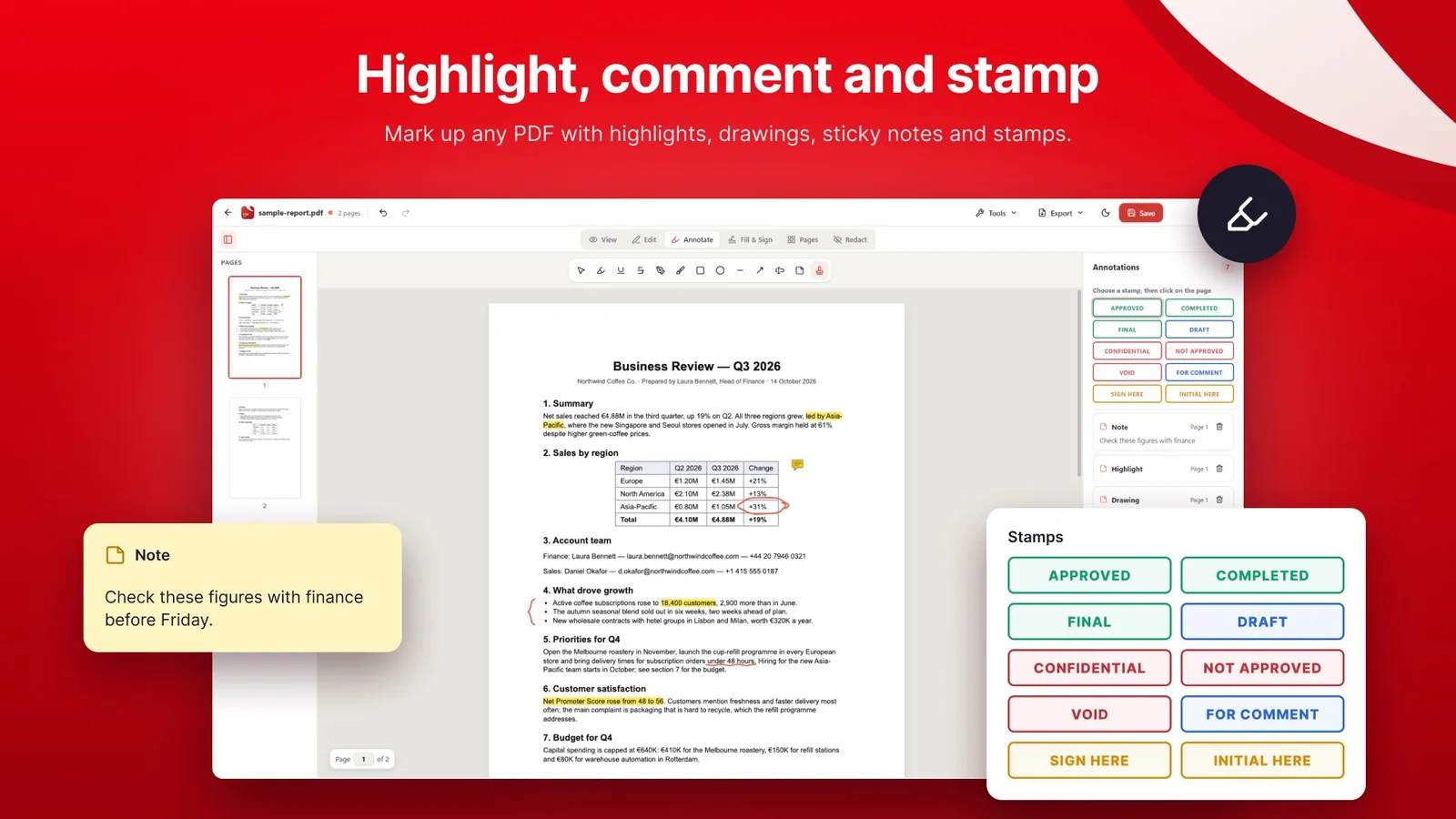
- Annotate PDF files with highlights, drawings, arrows, notes and 10 stamps like Approved or Draft.
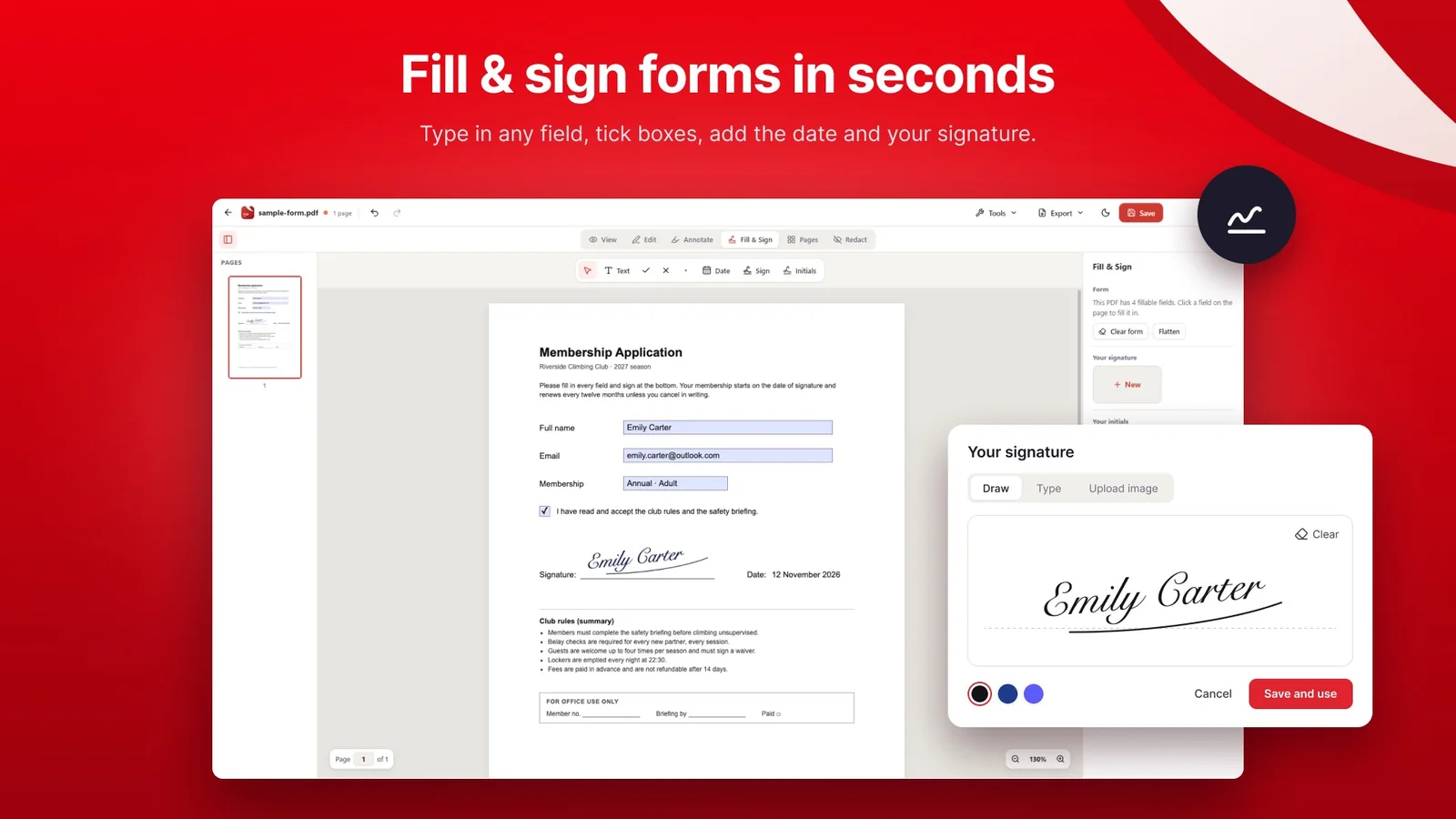
- Sign and fill PDF forms: type into fields, add checkmarks and dates, and reuse your saved signature.
- Rotate, extract, delete or reorder pages by dragging, and add blank pages or pages from another PDF.
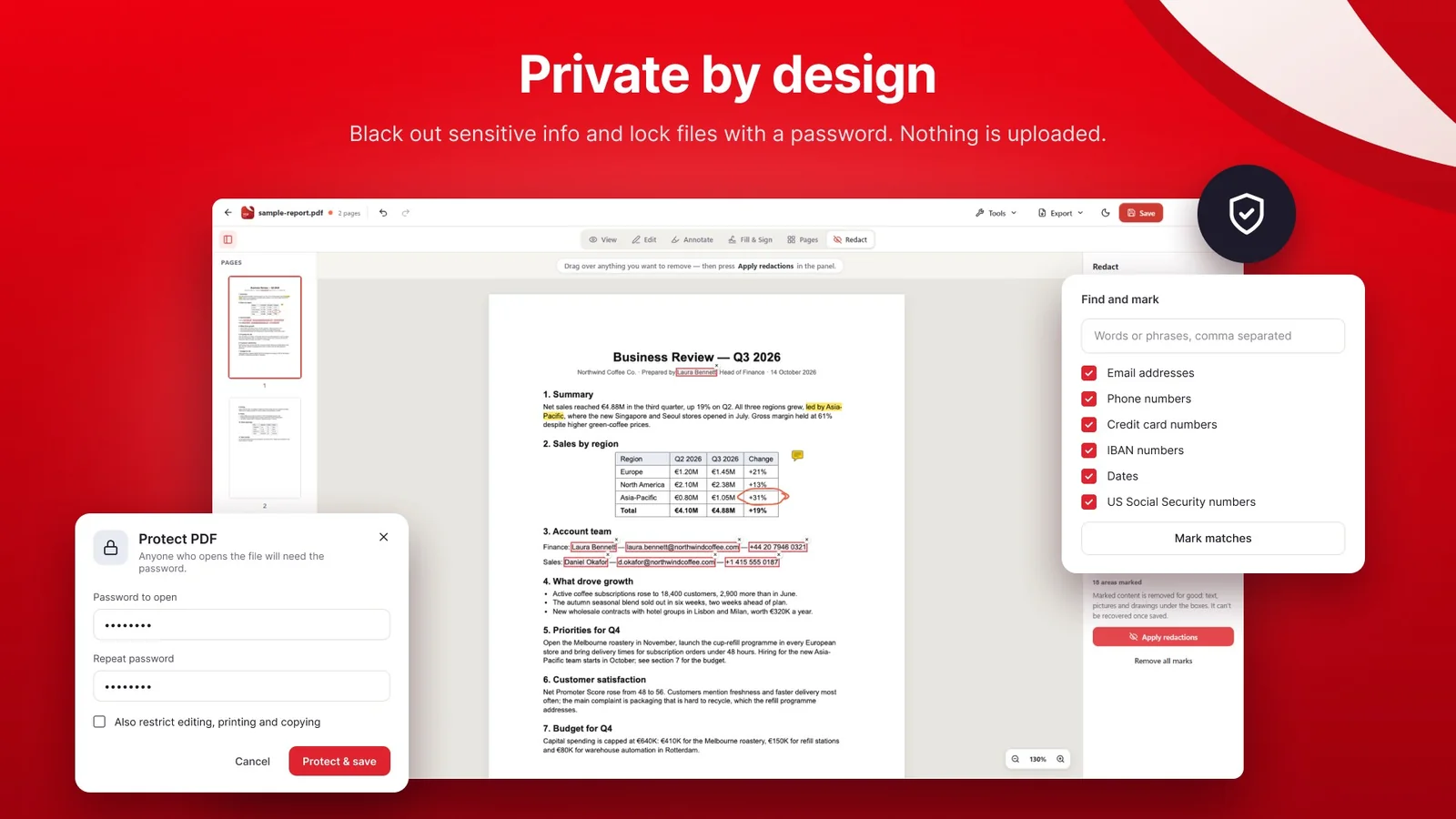
- Permanently black out sensitive info by dragging, or search for emails, phone numbers and IBANs.
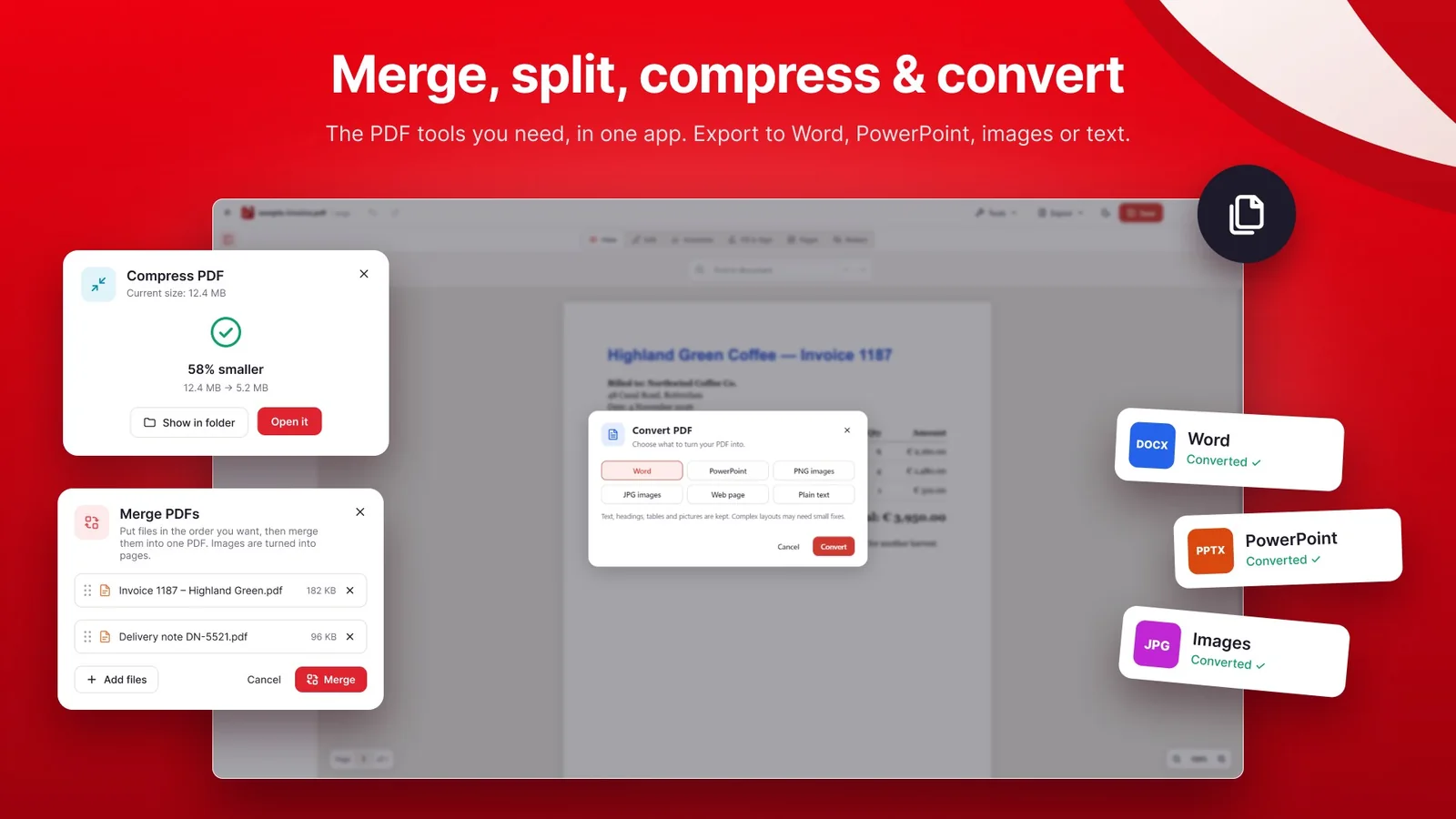
- Merge PDFs and images into one file, or split a PDF by page count, bookmarks or file size.
- Shrink big files with Compress and keep your original untouched, since it saves a copy.
- Convert a PDF to Word, PowerPoint, PNG, JPG, a web page or plain text whenever you need it.
- Lock a PDF with an open password, and limit who can edit, print or copy it as you see fit.
- Run OCR on scanned PDFs to make them searchable, with crooked or rotated pages straightened.
- Add watermarks and page numbers, then print with copies, page ranges, booklet layout or duplex.
System requirements
- OS
- Windows 10 version 17763.0 or higher, Windows 11
- Architecture
- x64
- Download size
- About 171 MB
- Installation
- Sign in with your Microsoft account and install on up to ten Windows devices.
- Languages
- English, French, German, Italian, Spanish, Portuguese, Dutch, Polish, Russian, Arabic, Chinese, Japanese, Korean, Indonesian
Additional information
- Published by
- Whatsticker Apps S.R.L.
- Category
- Productivity
- Age rating
- ESRB Everyone · In-App Purchases
- Price
- Free to download, with a free trial. Some features require a subscription, bought in the app through your Microsoft account.
- What you download
- A small installer made by Microsoft. It installs PDF Editor from the Microsoft Store and opens it when ready.
- Uninstall
- Settings › Apps › Installed apps › PDF Editor › Uninstall
- Privacy and terms
- Privacy policy · Terms & Conditions · Microsoft Standard Application License Terms
- Contact
- [email protected]